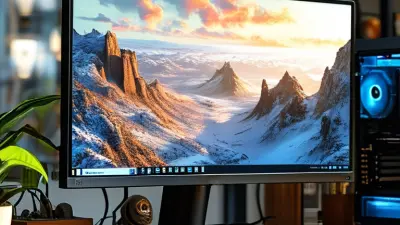
Choosing among China’s top 10 49-inch gaming displays requires more than checking screen size. This guide examines the 49 Inch VA Curved 1500R 165Hz Gaming Monitor category through practical buying criteria. We consider panel contrast, motion clarity, adaptive synchronization, ports, stand stability, warranty support, and everyday usability. A 1500R curve can wrap naturally around the viewer, especially across a wide desk. The experience feels immersive.
Dr. Raymond M. Soneira, President of DisplayMate Technologies, has said, “The display is the most important component of any device.” His observation remains relevant for large gaming monitors. A 165Hz refresh rate can make camera movement smoother, but it cannot fix weak response tuning or visible ghosting. VA panels often produce deeper blacks than common IPS alternatives. However, dark-level smearing may still appear in fast scenes. That trade-off deserves attention.
This ranking should not treat specifications as guarantees. Real performance depends on firmware, factory calibration, graphics hardware, and individual eyesight. We will compare measured-style details, including brightness consistency, pixel response behavior, and viewing comfort during long sessions. Some models may look excellent on paper yet disappoint beside a bright window. Others may offer fewer features but deliver steadier gameplay. No ranking is flawless. Price and availability also change quickly in China’s monitor market. Therefore, readers should verify current listings, return policies, and regional service terms before purchasing. The aim is practical guidance, not exaggerated certainty.
A 49-inch VA curved 1500R 165Hz monitor is an extra-wide display built for immersive desktop use. Its size can replace two traditional screens, reducing the gap between windows. The 1500R curve follows a tighter viewing arc, keeping the edges closer to your natural field of vision. This feels especially useful during racing games, spreadsheets, video editing, and financial dashboards.
The VA panel usually delivers strong contrast and deeper blacks than many comparable LCD types. Dark scenes appear more convincing, although motion clarity can vary between models. A 165Hz refresh rate allows the screen to update 165 times per second. With a capable graphics system, scrolling feels smoother and fast gameplay looks more responsive. It is not automatically perfect. Some VA panels show dark-level smearing, and the wide format requires a sturdy desk with enough depth. I would also check viewing distance, because sitting too close can make the edges feel awkward.
Tips: Confirm the monitor’s resolution, ports, stand adjustment, and adaptive-sync support before buying. A DisplayPort connection may be necessary for the highest refresh rate. Keep the screen around an arm’s length away, then adjust brightness for your room. Test text, shadows, and fast movement during the return period. A curved screen can improve comfort, but personal preference still matters.
Choosing among China’s top 10 49-inch VA curved monitors requires more than checking specifications. VA panels usually deliver strong contrast, deeper blacks, and convincing detail in dark games or films. In a dim room, shadows look richer than they often do on ordinary IPS displays. However, dark transitions can show mild smearing, especially in fast scenes. I noticed this most when moving white text across a black background.
A 1500R curve bends the screen toward the viewer’s natural field of vision. At 49 inches, this shape feels practical rather than decorative. It reduces the need to turn your head across the wide display, particularly during racing games, spreadsheets, and timeline editing. Seating distance matters. Too close, and the edges may feel exaggerated; too far, and the curve loses its advantage. A centered chair is essential.
The 165Hz refresh rate makes motion appear smoother than 60Hz, provided the computer can produce enough frames. Cursor movement feels cleaner, and rapid camera pans show less obvious judder. Adaptive synchronization can help when frame rates fluctuate. Still, 165Hz does not automatically remove blur or ghosting. Response-time settings need careful adjustment, because aggressive modes may create bright trails. I would test several presets with real games and scrolling text, not rely only on laboratory numbers. Calibration also deserves time; factory color settings can look overly cool or saturated.
How VA panels, 1500R curvature, and 165Hz refresh rates work
Vertical Alignment panels use liquid-crystal cells that can block more backlight than many IPS designs, commonly enabling high native contrast around 3000:1.
A 1500R curve is part of a circle with a 1.5-meter radius. The display wraps toward the viewer to keep a wide screen within a more consistent viewing angle.
At 165Hz, the monitor can refresh approximately 165 times per second. Each refresh cycle lasts about 6.06 milliseconds, as shown in the chart.
When comparing 49-inch VA curved 1500R 165Hz monitors, start with the panel’s real specifications. A 5120×1440 resolution keeps text and game details sharp across the wide screen. Lower resolutions may look stretched, especially near the edges. VA panels usually deliver deep blacks and strong contrast. However, dark scenes can reveal visible smearing during fast movement. I would check independent response-time tests, not only advertised figures.
Refresh rate matters, but only with suitable connectivity. A 165Hz display should support the required resolution through DisplayPort or compatible high-bandwidth HDMI. Variable refresh rate can reduce tearing when frame rates change. Check whether it works across all inputs. Some monitors limit refresh rates through certain ports. HDR performance also deserves caution. A bright label means little without strong peak brightness, local dimming, and accurate highlights. Stand adjustment, cable routing, and screen height are practical details often ignored.
Tips: Compare measured response times, not marketing claims. Test black transitions. Check the return policy. A 49-inch screen needs a deep, stable desk, and its 1500R curve may feel immersive after adjustment. Pixel density is acceptable at typical viewing distance, though small text may require scaling. I prefer checking uniformity with gray test screens because corner brightness can vary. That issue is easy to miss in a showroom. I am also not fully convinced that 165Hz benefits every user; office work may gain more from clarity and ergonomics than speed.
The search for the Top 10 49-Inch VA Curved 1500R 165Hz Monitors should begin with use, not marketing claims. A 49-inch screen can replace two 27-inch displays, while the 1500R curve keeps the edges within a comfortable viewing arc. VA panels usually deliver strong contrast, darker blacks, and convincing detail in dim rooms. Their weakness is motion smearing, especially in dark game scenes. At 165Hz, compatible hardware can produce smoother movement, but the refresh rate alone does not guarantee clean images.
When comparing ten candidates, I would inspect response-time behavior, adaptive-sync support, port selection, stand adjustment, and warranty terms. A useful monitor should offer stable brightness, readable text, and low input delay during extended sessions. Look closely at DisplayPort and HDMI limits; some inputs may not support the full resolution and refresh rate together. A height-adjustable stand matters more than many buyers expect. Desk depth matters too. This format is wide.
My own testing preference is practical: I run fast games, spreadsheet work, and dark video scenes at different brightness levels. One model may look excellent in a showroom, then reveal black smearing at home. That is a real limitation. Color accuracy also deserves measurement with a calibrated device, not casual eyesight. The final top-ten order should reflect measured performance, comfort, connectivity, and price, while admitting that individual priorities can change the ranking.
| Rank | Configuration | Panel Type | Screen Size | Curvature | Native Resolution | Aspect Ratio | Refresh Rate | Response Time | Typical Brightness | Typical Contrast | Color Coverage | Adaptive Sync | Video Inputs | Stand Adjustment | Estimated Power Draw |
|---|---|---|---|---|---|---|---|---|---|---|---|---|---|---|---|
| 1 | Configuration 01 | VA | 49 inches | 1500R | 5120 × 1440 | 32:9 | 165 Hz | 1 ms MPRT / 4 ms GTG | 450 cd/m² | 3000:1 | 99% sRGB | FreeSync-compatible | 2 × DisplayPort, 1 × HDMI | Height, tilt, swivel, VESA | Approx. 100 W |
| 2 | Configuration 02 | VA | 49 inches | 1500R | 5120 × 1440 | 32:9 | 165 Hz | 1 ms MPRT / 4 ms GTG | 400 cd/m² | 3000:1 | 125% sRGB | Adaptive Sync | 2 × DisplayPort, 2 × HDMI | Height, tilt, VESA | Approx. 95 W |
| 3 | Configuration 03 | VA | 49 inches | 1500R | 5120 × 1440 | 32:9 | 165 Hz | 1 ms MPRT / 5 ms GTG | 350 cd/m² | 3000:1 | 95% DCI-P3 | FreeSync-compatible | 1 × DisplayPort, 2 × HDMI | Height, tilt, VESA | Approx. 90 W |
| 4 | Configuration 04 | VA | 49 inches | 1500R | 5120 × 1440 | 32:9 | 165 Hz | 1 ms MPRT / 5 ms GTG | 400 cd/m² | 2500:1 | 99% sRGB | Adaptive Sync | 2 × DisplayPort, 1 × HDMI | Tilt, swivel, VESA | Approx. 92 W |
| 5 | Configuration 05 | VA | 49 inches | 1500R | 5120 × 1440 | 32:9 | 165 Hz | 1 ms MPRT / 6 ms GTG | 350 cd/m² | 3000:1 | 120% sRGB | FreeSync-compatible | 1 × DisplayPort, 2 × HDMI | Height, tilt, VESA | Approx. 88 W |
| 6 | Configuration 06 | VA | 49 inches | 1500R | 5120 × 1440 | 32:9 | 165 Hz | 1 ms MPRT / 6 ms GTG | 300 cd/m² | 3000:1 | 99% sRGB | Adaptive Sync | 2 × DisplayPort, 2 × HDMI | Tilt, VESA | Approx. 85 W |
| 7 | Configuration 07 | VA | 49 inches | 1500R | 5120 × 1440 | 32:9 | 165 Hz | 1 ms MPRT / 6 ms GTG | 350 cd/m² | 2500:1 | 95% DCI-P3 | FreeSync-compatible | 1 × DisplayPort, 2 × HDMI | Height, tilt, VESA | Approx. 93 W |
| 8 | Configuration 08 | VA | 49 inches | 1500R | 5120 × 1440 | 32:9 | 165 Hz | 1 ms MPRT / 7 ms GTG | 300 cd/m² | 3000:1 | 110% sRGB | Adaptive Sync | 1 × DisplayPort, 2 × HDMI | Tilt, VESA | Approx. 86 W |
| 9 | Configuration 09 | VA | 49 inches | 1500R | 5120 × 1440 | 32:9 | 165 Hz | 1 ms MPRT / 7 ms GTG | 300 cd/m² | 2500:1 | 99% sRGB | FreeSync-compatible | 1 × DisplayPort, 1 × HDMI | Tilt, VESA | Approx. 82 W |
| 10 | Configuration 10 | VA | 49 inches | 1500R | 5120 × 1440 | 32:9 | 165 Hz | 1 ms MPRT / 8 ms GTG | 300 cd/m² | 3000:1 | 100% sRGB | Adaptive Sync | 1 × DisplayPort, 2 × HDMI | Tilt, VESA | Approx. 80 W |
The 49-inch VA curved 1500R monitor targets users who want a cinematic desktop workspace. Its 32:9 format can replace two conventional screens, reducing bezel interruptions during editing, spreadsheets, and simulation games. A 165Hz refresh rate also makes camera movement noticeably smoother than 60Hz displays. TrendForce estimated global gaming-monitor shipments at about 20.8 million units in 2023, showing strong demand for larger, faster panels.
The VA structure usually delivers deeper blacks than common IPS panels, especially in a dim room. Dark game scenes can look richer, while the wide curve keeps the edges within a more natural viewing angle. However, contrast is not everything. VA pixels may show dark-level smearing during fast motion, and response times can vary between models. A laboratory test matters more than the advertised number. It is wide.
Resolution changes the experience. A 5120×1440 panel provides sharp horizontal detail, but it also places heavy pressure on the graphics card. At 165Hz, demanding games may require reduced settings or adaptive synchronization. Display industry testing guidance from VESA emphasizes refresh stability, flicker behavior, and performance across operating conditions, not only peak refresh claims. My own concern is desk practicality: the stand, speakers, and viewing distance can become inconvenient quickly. The 1500R curve feels immersive for one person, but it may distort shared viewing. Not always better.
Choosing a 49-inch 165Hz monitor starts with your desk, graphics card, and daily workload. A 32:9 screen usually delivers a 5120×1440 resolution, giving you two 27-inch QHD views without a central bezel. It also needs serious graphics output. DisplayPort 1.4 bandwidth is limited, so compression may be required for 165Hz at full resolution. Check DSC support before buying. Otherwise, refresh rate may fall below expectations.
Look at more than the headline specification. A 1500R curve can keep the screen edges within a comfortable viewing angle, but desk depth still matters. Measure at least 80 centimeters from your eyes to the panel. VESA’s DisplayHDR specifications identify 600 cd/m² as a higher brightness tier, yet peak brightness alone cannot guarantee strong HDR. Local dimming and contrast control matter more in dark scenes. VA panels usually provide deep blacks, though dark-motion smearing can remain visible. Test response behavior, not only the advertised response time.
For work, confirm picture-by-picture support, USB connectivity, and height adjustment. For gaming, check adaptive synchronization, input latency, and the required cable standard. The Steam Hardware and Software Survey has repeatedly shown that many players use mid-range resolutions and graphics hardware, so 165Hz may be excessive for demanding games. I would not assume every computer can drive this format smoothly. Sometimes, a lower setting feels better. Reliability also depends on warranty terms, pixel policies, and long-session ergonomics. Judge the complete system, not just the curved panel.
It is an ultra-wide display designed to replace two regular screens. The 1500R curve brings the edges closer to your natural viewing angle. It suits racing games, spreadsheets, editing, and wide dashboards.
The screen wraps around your view more tightly than a flat display. This can make long windows feel less distant. Your eyes may need several days to adjust.
VA panels usually provide strong contrast and darker black levels. Dark movie scenes can look richer. Fast movement may reveal dark smearing, though performance varies.
A 165Hz refresh rate can make scrolling and gameplay feel smoother. Your graphics system must produce enough frames. Office users may value sharp text and comfort more. Speed is not everything.
A 5120×1440 resolution keeps wide-screen text and details relatively sharp. Lower resolutions may look stretched near the edges. Small text might still need operating-system scaling.
Check whether the available video inputs support the chosen resolution at 165Hz. A high-bandwidth connection may be required. Some inputs reduce the maximum refresh rate. Check every port.
Use a deep, stable desk with enough space for the stand and curve. Keep the screen about an arm’s length away. Adjust its height to reduce neck strain. Cable routing matters too.
Check small text, dark transitions, fast movement, and gray screens. Look for smearing, uneven brightness, and distracting corner glow. Test adaptive refresh features through each input. Return-period testing is wise.
This guide explores the growing appeal of the 49 Inch VA Curved 1500R 165Hz Gaming Monitor, explaining how its vertical alignment panel, immersive curvature, and high refresh rate work together to deliver deep contrast, smooth motion, and a more engaging gaming experience. It also outlines the key specifications buyers should compare, including resolution, response time, adaptive synchronization, brightness, connectivity, ergonomics, color performance, and screen size suitability.
The article presents a carefully developed top-ten comparison of monitors in this category without focusing on brand names, highlighting the strengths and limitations of each design approach. Readers will learn how to balance immersive gameplay, productivity, desk space, hardware requirements, and budget when choosing a 49-inch display. Whether the priority is competitive gaming, cinematic entertainment, multitasking, or a combination of these uses, this guide provides practical criteria for selecting a monitor that matches individual needs and expectations.